
Yes, another “Unifi Devices Going Offline when it is working !”. This time, my issue is Unifi Devices Offline Due to AdGuard. It is different from the previous issue as per the blog post below
Table of Contents
Why Unifi Devices Offline Due to AdGuard
So I decided to add yet another self host application to my ever growing self host applications such as Jellyfin, Calibre and Calibre Web, Audiobookshelf etc.
Of course I did it with the help of Mr Marius Hosting article : Synology: Install AdGuard With Portainer
I got it running in minutes and soon it is protecting the household with Ads Filtering and Tinder Blocking (why !? Just because I am BBFA !).
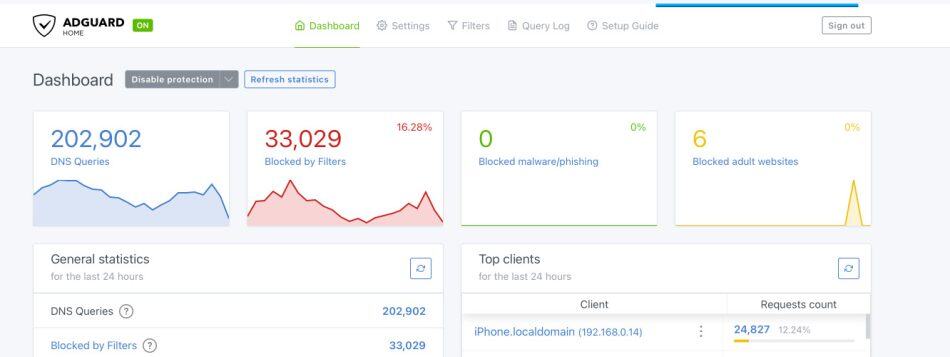
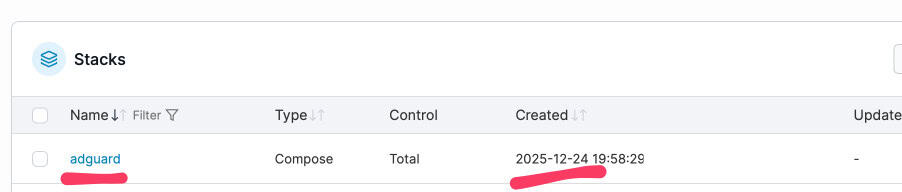
Anyhow I did that on 24 Dec 2025.. what an EXCITING thing to do during Xmas Eve. Any doubt that I am BBFA now ?
A day or two later, I checked my Unifi Controller hosted with Hostifi and noticed the following sad state. As you might be aware, I bought (wrongly) the UniFi UXG Fiber 10G Gateway which does NOT come with a cloud controller.
This is what I see… 3 offline devices… one UXG Fiber up and running.
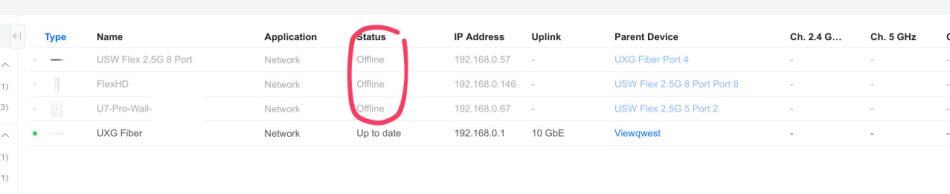
AdGuard was blocking my Unifi devices from reaching HostiFi controller. The HostiFi Controller being hosted at HostiFi needs to be reached from the Unifi Devices to “update” the status etc.
Checking the AdGuard Logs
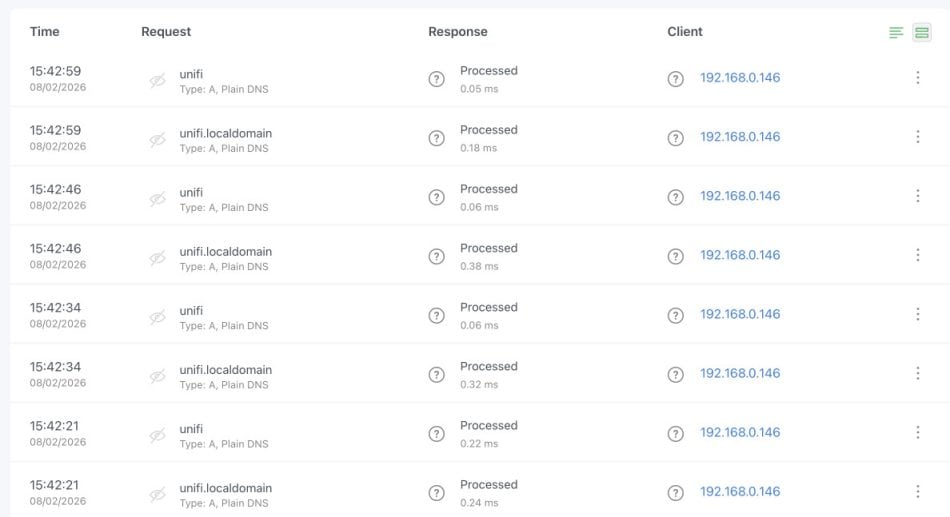
If we look at the AdGuard logs, you can see that the devices were trying to talk to making DNS queries for:
unifiunifi.localdomain
But NOT for m037714.hostifi.com or any HostiFi domains.
This means the device is trying to find a controller, but it’s looking for the wrong one—probably a local controller or the default Unifi cloud address.
What likely happened:
- Dec 24: AdGuard installed, DHCP configured to use it for DNS
- Dec 25: Unifi devices renewed their DHCP leases, got AdGuard as DNS server
- Devices tried to contact HostiFi but DNS failed or was blocked
- Devices went offline and stayed offline till I decided to look at the Controller cause I am boring man (who ever goes and look at the Unifi Controller if they are not bored)
Solving the Issue of Unifi Devices Offline Due To AdGuard
I took a few steps to solve the issue with the help of Claude 🙂
Step 1 : Set up Custom Filtering Rules for the HostiFi
- In AdGuard, go to “Filters” in the left sidebar
- Look for “Custom filtering rules” (NOT “DNS allowlists”)
- Click on it
- In the text box, add these lines (one per line):
@@||hostifi.com^$important
@@||ui.com^$important
@@||ubnt.com^$important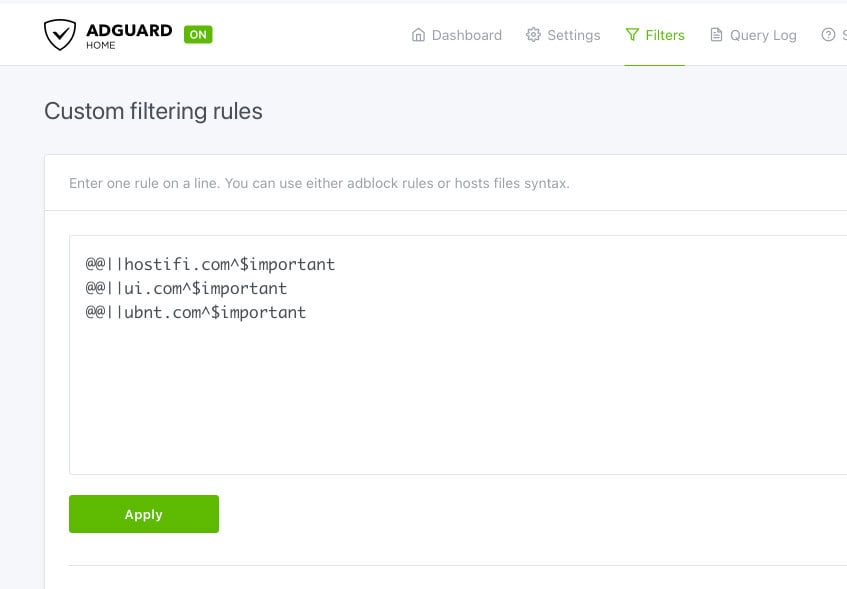
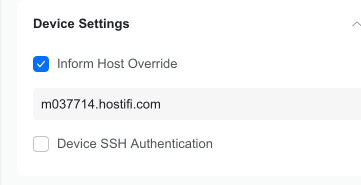
Step 2 : Make Every Unifi Devices Talk to the HostiFi Controller
- In HostiFi controller, go to Settings → System → Advanced
- Find “Override Inform Host”
- Set it to:
http://m037714.hostifi.com:8080/inform - Save
Step 3 : Reboot the Devices
Now force a hard reboot of the devices (by power cycling it or pull out the damn POE injector etc). Once that is done, check the AdGuard Log. You can see that the Unifi Device is now talking to the Hostifi Server !

And when I go back to the Unifi Controller, I can see that 2 out of 3 offline devices are working. And in fact, now updating !
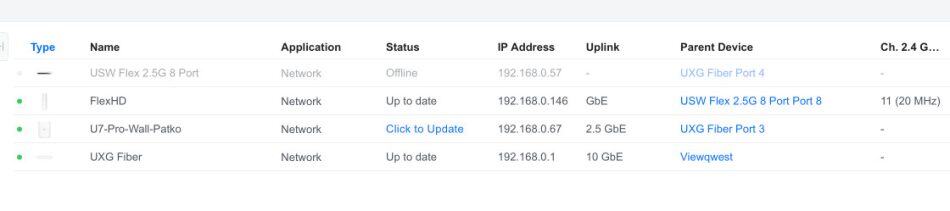
But hold on.. one of the switch, the USW Flex 2.5 8 Port switch is still offline.
Step 4 : If the above does not work, let’s try a DNS rewrite
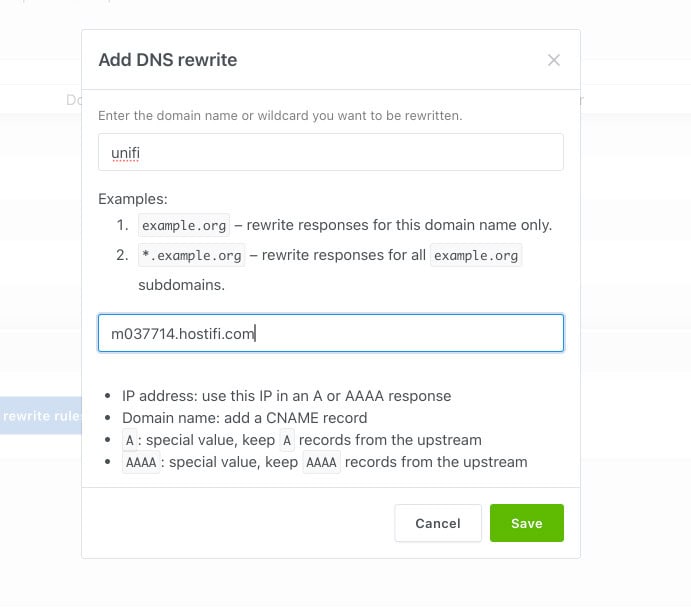
From the logs, it looks like the USW Flex 2.5 8 Port Switch is still looking for unifi and not the Hostifi server. Since the switch keeps looking for unifi, let’s redirect it:
- In AdGuard, go to Filters → DNS rewrites (or Settings → DNS settings → DNS rewrites)
- Click “Add DNS rewrite”
- Domain:
unifi - Answer:
m037714.hostifi.com - Save
After that, you can see the AdGuard logs that it is now changing.. it is DIFFERENT from the CUSTOM FILTERING.
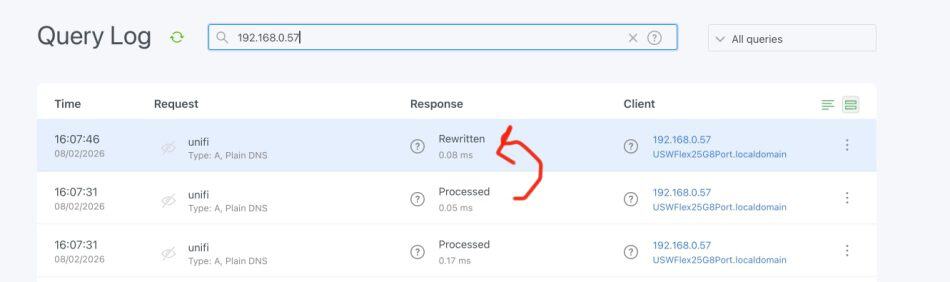
And then the switch is working ! Not sure if this is the right solution but leaving the rewrite in place is fine. It’s a simple, reliable solution that ensures any device looking for unifi will find your HostiFi controller.
FYI that I did removed the DNS Rewrite and immediately the USW Flex 2.5G 8 Port went offline. So it looks there are some issues. The switch clearly has the old unifi inform URL cached or hardcoded somewhere. Even though I set the Inform Host in the controller, the switch didn’t pick it up. The DNS rewrite is acting as a permanent workaround.
If I want to clean this up later, I should:
- SSH into the switch (once SSH is enabled)
- Run:
set-inform http://m037714.hostifi.com:8080/inform - This would hardcode the correct URL into the switch
- Then I can remove the DNS rewrite
But I am too lazy 🙂 So I left DNS rewrite as it is…
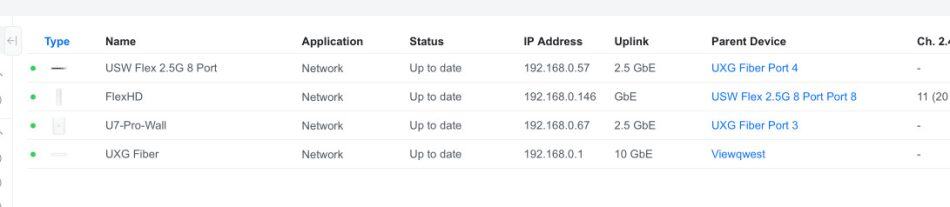
Step 5 : Check Unifi Controller and a Happy Ending
So here we go.. all 4 devices are now up and running ! No more issues. ALL GOOD.
Conclusion
So we have solved yet another issue with Unifi Devices showing up as OFFLINE even though they are actually working. This time it was due to my “exciting” idea of setting up AdGuard at home 🙂
Quick recap for future reference:
- AdGuard was blocking your Unifi devices from reaching HostiFi (hence the Dec 25 offline date)
- Fixed with whitelisting + DNS rewrite
- All devices now online and happy 🙂


