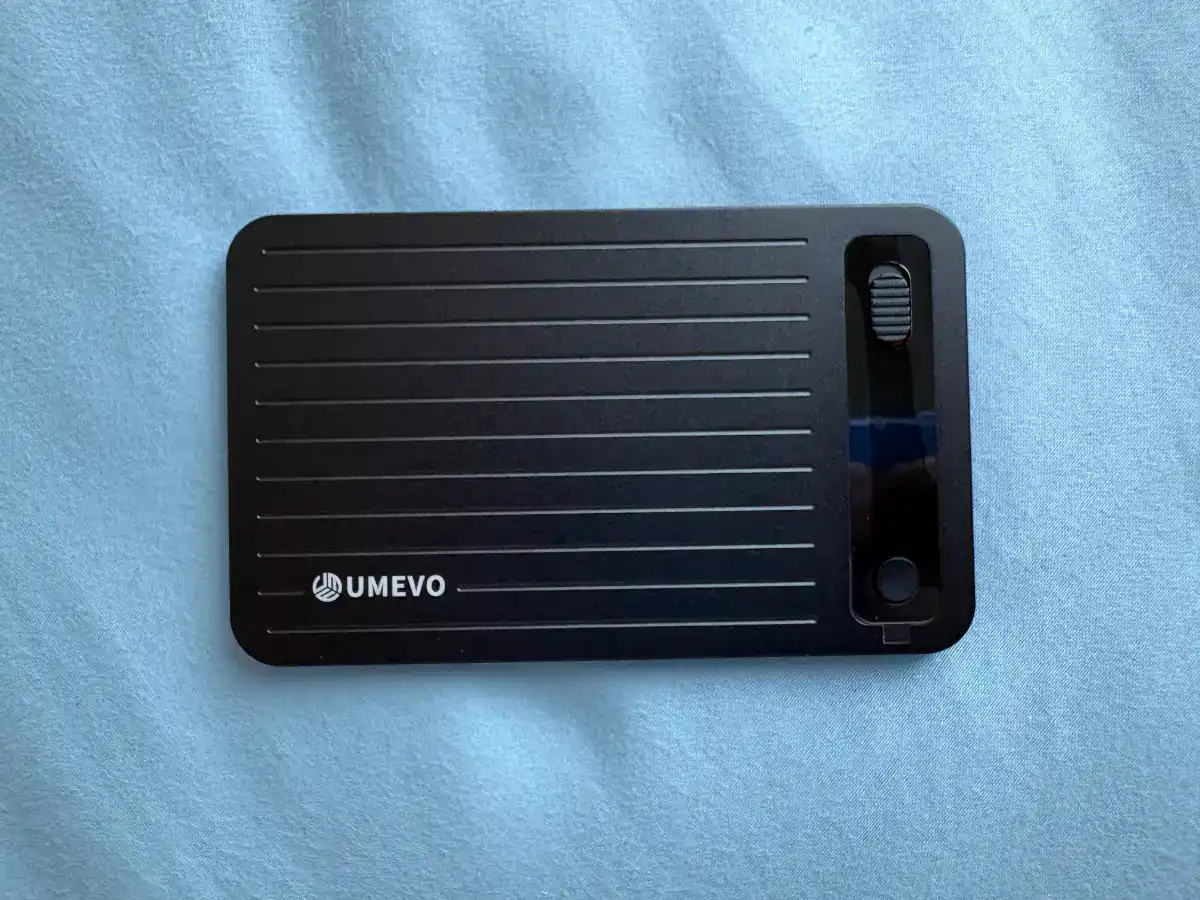
I bought a AI Voice Recorder recently. That’s the UMEVO Note Plus AI Voice Recorder. It is a small and very easy to use AI Voice Recorder. It also comes with an iPhone or Android app that allows you to use the AI tools such as ChatGPT or Gemini etc to transcribe and summarise your recordings.
Table of Contents
Why I buy the UMEVO Note Plus AI Voice Recorder
I trade options. Not professionally, but seriously enough that I spend a good chunk of my evenings watching YouTube tutorials — covered calls, cash-secured puts, iron condors, you name it. The problem? I watch, I nod along, I think I get it, and then by the next morning half of it is gone. Taking notes while watching a video is awkward. Pausing every 30 seconds kills the flow.
And rewatching the same video just to extract key points? Ain’t nobody got time for that.
So when I picked up the UMEVO Note Plus AI Voice Recorder, I wasn’t planning to use it the way everyone else does. Most reviews will tell you it’s for recording meetings and phone calls. That’s true. It is superb at doing both of that.

But I found a different use for it and it is becoming one of my favourite learning tools.
Unboxing the UMEVO AI Voice Recorder

Back of the BoX:

Unboxing. Hello AI Recorder..

The packaging is clean and minimal. Inside the box you get:

- The recorder itself — slim metal body, feels solid in hand
- A leather-style magnetic carrying case with a belt clip
- A MagSafe ring sticker to stick on the back of the carrying case
- A USB-C charging cable
- A USB-C to USB-A OTG adapter
- A quick start guide / user manual
The device is genuinely thin — about 3mm, roughly the thickness of three stacked credit cards. It doesn’t feel cheap at all.

You can see how it looks next to a POSB ATM Card so you can get a sense of its size in real life usage 🙂

The Use Case Nobody Talks About
Here’s what I do. When I sit down to watch an options trading tutorial on YouTube, I stick the UMEVO Note Plus on the back of my phone using the magnetic case.
The device has two recording modes — Note mode (for capturing ambient audio in a room) and Call mode (which uses a vibration conduction sensor to pick up sound directly from the phone’s body).
I use Call mode.
Because I’m playing the YouTube video on my phone, the UMEVO picks up the audio through the phone’s physical vibrations — not the speaker sound in the air. This means it captures the video’s audio cleanly, even if there’s some background noise in my room.
One press of the button, and it’s recording. I just watch the video normally, no interruptions.
The Test: A Covered Call Tutorial
I ran a proper test with a 6-minute YouTube video on covered call options — specifically one explaining the covered call strategy as a “winning bet” approach, walking through how a stock owner sets a strike price and sells call options to collect premiums.
After the video ended, I synced the recording to the UMEVO app. You dont need a cable. It sync over bluetooth.
Here’s the recording as a file in the UMEVO app:

When you go into the file, there is a recording of the Youtube video I have recorded.
You can then see the transcript of the video itself in the app when you go into the file and click on the first button.

The third button gives you a mind map too !

The second button is the one which I use most of the time. I use it to ask AI to generate a summary of the video for my learning.
When you do that, the app ask you what type of note do you need aka Summary Template. E.g. A meeting minute template. A Call template. An interview template. An abstract summary. A Key Points Summary. I usually use a SPEECH template.

You can then see the various AI models available. The UMEVO Note Plus comes with a damn generous AI model package at the first year. It is more than enough for me to use. The models included GPT-5.3, GPT-4o, GPT-4.1, o3-mini, GPT-3.5 mini, Gemini 3.1 pro and gemini 3.1 flash.
There is no need to worry as you got a great 1st year package. As compared to a particular competitor which charges you a leg and an arm for the yearly subscription.

Within a couple of minutes, I had a full AI-generated summary.

Look at what came out. The app correctly identified the core concept — covered calls, strike prices, premium collection, what happens when the stock price goes above or below the strike. It even picked up the analogy the video used (referred to in the transcript as “Jimmy” buying the option). The summary was coherent, well-structured, and actually useful as a study note.
The recording was timestamped, labelled automatically as a “Call” mode capture, and the full 6:42 minutes was processed cleanly.
You can then export whatever you want from the app ! I typically export the summary in Markdown format (for my Capacities app) but you can also export as TXT, DOCX and PDF. You can then use it with Notion, Obsidian, Google Docs, etc.

What I Actually Think
Pros:
The transcription accuracy is impressive. The covered call video had a fair bit of financial jargon — strike price, premium, expiry, in-the-money — and the AI handled it well. The summary wasn’t just a word dump; it extracted the key ideas in a readable way.
The form factor works perfectly for this use case. Stuck to the back of my iPhone 16 Plus, the device is completely out of the way. I’m not fumbling with anything while watching.
The first year of transcription is free and unlimited, which is a big deal. That alone makes the upfront cost easier to justify.
The slight Cons:
The app labels the recording under “Meeting Information” with placeholder fields like “Speaker: [Enter name]” — because it’s designed for meetings, not YouTube videos. That’s fine, it doesn’t affect the output. You just ignore those fields.
The AI summary is good but not perfect. For a 6-minute video it was excellent. For longer, more complex content, I’d expect it to miss some nuance. It’s a starting point, not a replacement for actually watching and thinking.
Call mode also works best when the phone’s speaker volume is reasonably loud. If you’re watching at low volume, the vibration conduction won’t pick up as cleanly.
Who Is This For?
The obvious audience is professionals recording meetings and calls. But if you’re like me — someone who learns from YouTube and wants a frictionless way to capture the substance of what you watched — this is genuinely useful.
Options trading tutorials, tech deep-dives, investment talks, productivity content. Anything where you want to walk away with structured notes without stopping the video every two minutes.
It’s become a regular part of my evening trading routine. Watch the video, let UMEVO capture it, review the summary later. Simple.
Final Verdict
The UMEVO Note Plus is marketed as a meeting and call recorder. It does that job well. But the ability to use it as a learning capture tool — stuck to the back of your phone while you watch YouTube — is something that works surprisingly well.
If you spend time learning from video content and find yourself losing the details, this is worth a look.
UMEVO Note Plus — available at umevo.ai. It is also available on Amazon !